Setlist
Studio
Real setlists inside REAPER.
Register each song once in the library — key, tuning, BPM, length — then build the show by dragging. Setlist changed at soundcheck? You change the setlist and the project follows: joins realigned, MIDI in place, recording armed.
You save
- One payment, lifetime licence
- Up to 3 active devices
- macOS and Windows, REAPER 7+
- Runs offline at the show
How it works
Three screens. The heavy work happens once; after that you just drag.
01
Library
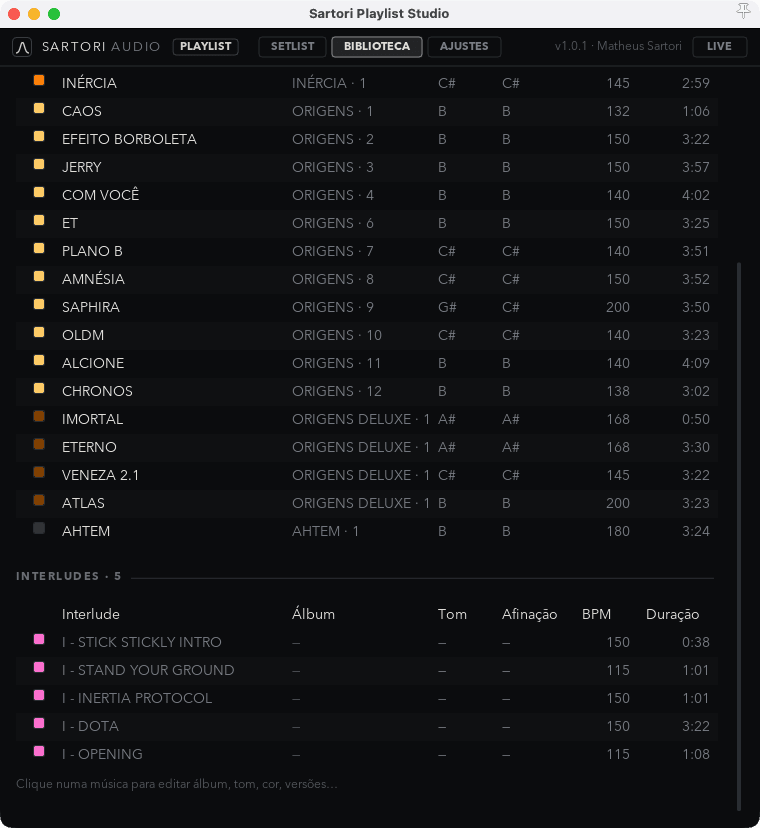
Each song is entered once, with key, tuning, BPM, length and the regions playback needs. It serves every show that follows.
02
Setlist
Drag to build the order. Interludes, extended intros and bar-aligned joins come in as their own blocks.
03
LIVE mode
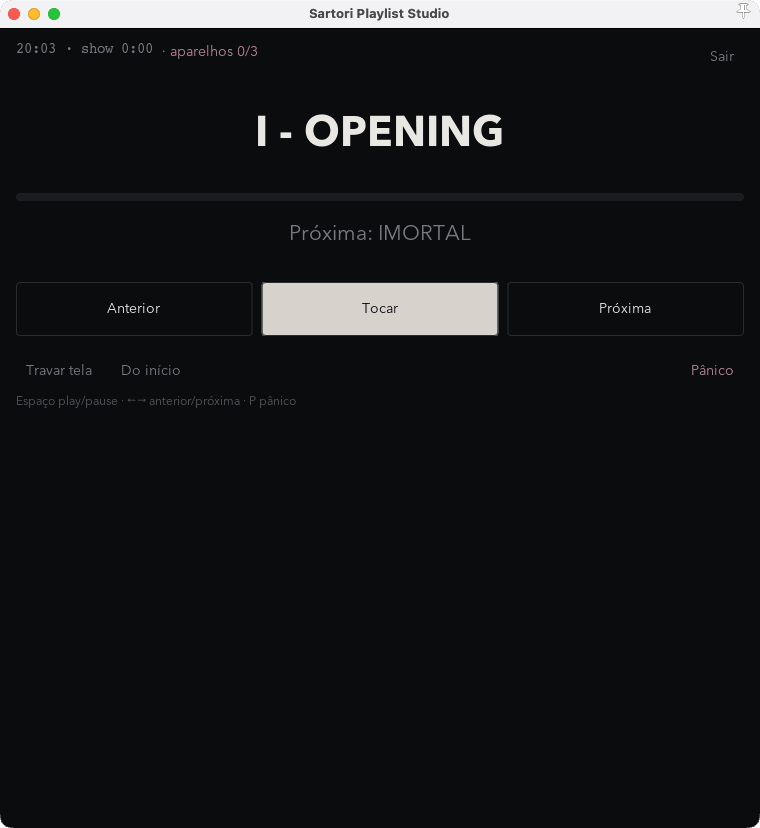
Full screen, large type, next song always visible and one-tap panic. This is the screen that goes on stage.
Features
Every item here came out of a problem that showed up on stage.
Song library
Key, tuning, BPM, length and notes per song. Filled in once, reused in any setlist.
Unlimited setlists
As many shows as you want, reorderable by dragging. Duplicate yesterday’s and adjust in seconds.
Interludes and intros
Dedicated blocks for stingers, extended intros and spoken transitions, with lengths of their own.
Bar-aligned joins
Joins land on the bar: no click out of time between one song and the next.
LIVE mode with panic
Full screen for the stage, time remaining, next song and an emergency stop without leaving the mode.
Pre-show check
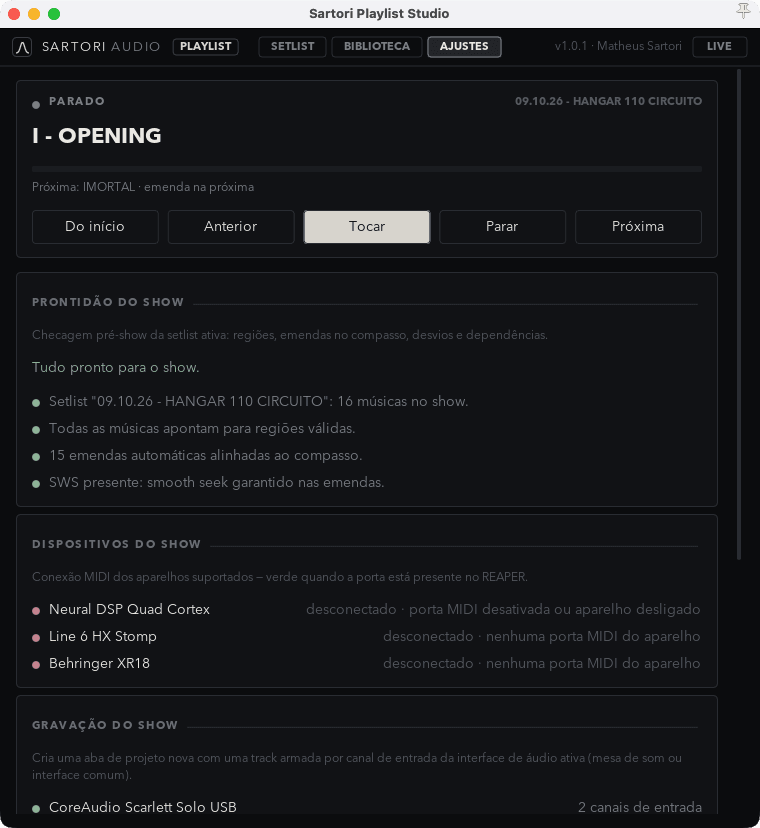
Valid regions, joins, connected MIDI devices and redundancy all verified before doors open.
MIDI for the rig
Presets and scenes fired on Quad Cortex, HX Stomp and XR18 at every song change.
One-click recording
The whole show in multitrack, armed together with the setlist. You leave the stage with material to mix.
Screenshots
The plugin’s screens in use. Step through with the arrows, swipe, or pick a screen below.
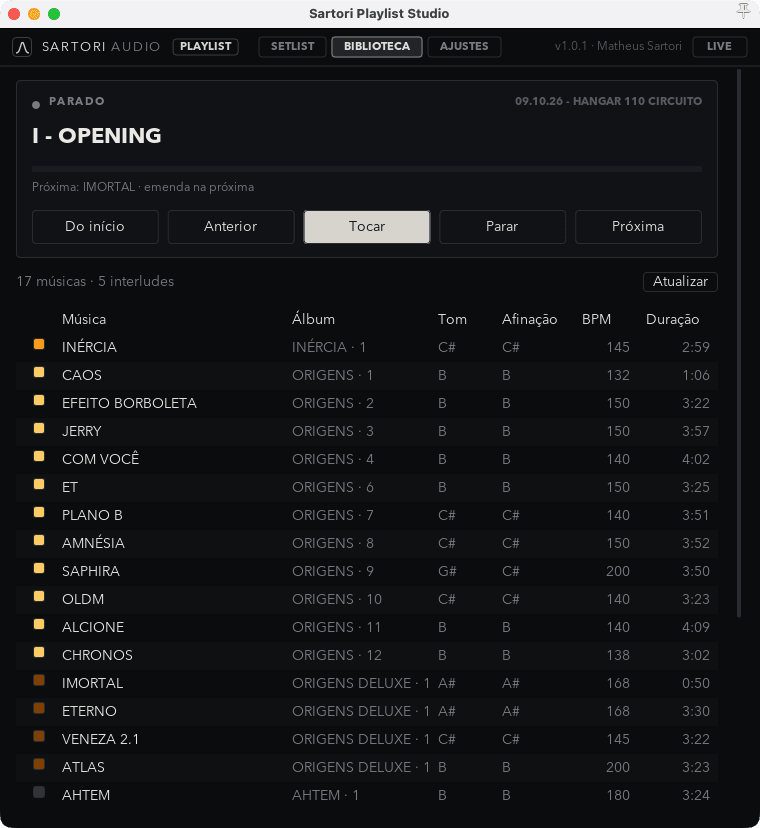
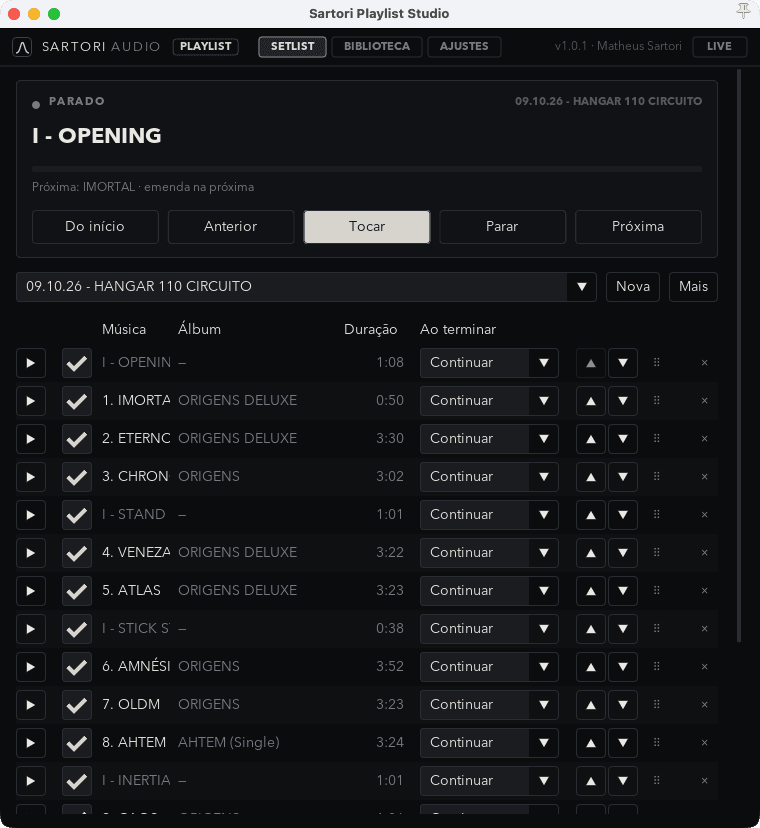
SETLIST EDITORThe show in order: every row points at a region of the project, and you set what happens when it ends — continue, stop or wait. The picker at the top switches setlist without leaving the screen.
Video
A short walkthrough from an empty project to a running show.
- Building the first setlist from scratch
- Joins and interludes in practice
- LIVE mode at a real show
- MIDI: Quad Cortex, HX Stomp and XR18
The video lands here on publish.
Requirements and licence
REQUIREMENTS
- REAPER 7 or newer
- macOS 12+ (Apple Silicon and Intel)
- Windows 10+ (64-bit)
- No external dependencies
LICENCE
- Lifetime v1 licence
- Up to 3 active devices
- All v1 updates included
- Swap devices from the client area
SUPPORT
- Email in Portuguese and English
- Assisted install over a call
- MIDI maps prepared for your rig
- Reply within 2 business days
Frequently asked questions
- Yes. It installs as a script on REAPER 7 or newer without touching your templates. Use it on new projects or ones you already have.
- No. The licence is validated once and the plugin runs offline. On stage nothing depends on a network.
- The licence covers 3 active devices and you can release one from the client area whenever you need.
- That is exactly the case. Stems, click and cues come out of the same project, with bar-aligned joins and MIDI for the rig.
- Not yet. Get in touch — the plugin can be shown running on a call, with every question answered before you buy.
- Anything that takes program change or CC. Quad Cortex, HX Stomp and Behringer XR18 ship mapped.
Buy
One payment through Stripe, by card. Access lands in your inbox right after confirmation.